



In iOS 15 and iPadOS 15, Apple added a feature that would have been even more welcome before the advent of the App Library: the capability to manage apps from Search. But it’s still handy as a way to delete or position an app you can’t find on a Home screen page. Swipe down from the middle of the Home screen to enter Search, after which you can work with any app you see in Siri Suggestions or find with a search ➊. Touch and hold an app to display its contextual menu ➋, including a Delete App option. Or touch and hold it and start dragging to move it to a Home screen page ➌.
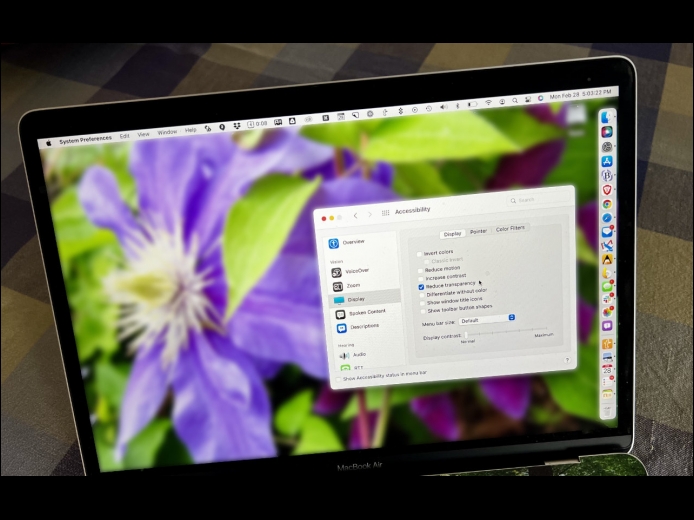
Read MoreFor years now, Apple has made transparency a part of the macOS interface, which has the effect of blending the menu bar into the background and making menus and some windows take on the background hue, as you can see on the left side of the illustration below. For many people, transparency blurs the interface, making it harder to differentiate interface elements from the wallpaper. It also causes problems for screenshots meant for publication because the images end up with unrepresentative color levels.
Read MoreOver the past few months, there has been a spate of media reports about how people may have been tracked without their knowledge using AirTags, Apple’s elegant location trackers. Like many mainstream media forays into the tech world, the reports are often short on detail and sometimes unclear on the reality of how the AirTags work. Nor is it clear that there have been many successful cases of AirTag abuse, but the mere fact that people are trying to use AirTags to stalk others is concerning.
Read MorePages
User login
Popular Posts

Made the USA!
February 12th, 2014